| Go Back to the Facebook Help Index |
||
How Do I Make My Photo Albums Private? |
||
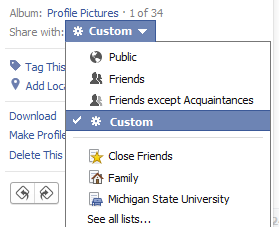
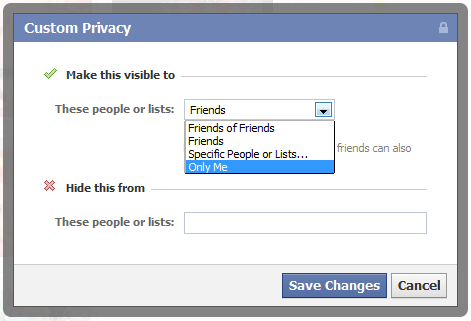
 This page shows you the photos that are allowed on your timeline. If there are photos shown here which you do not want shown on your timeline, you can change that by clicking the little pencil icon that appears when you hover your mouse over it. 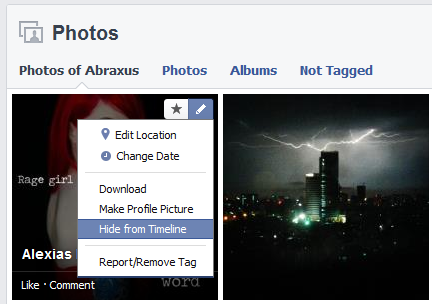 Now, click on "Albums" in the header to see a list of your albums. You will notice that as you hover your mouse over each album cover, it will cycle thru the pictures in that album. If you would like to change the privacy settings for one of those albums, you can use the audience selector  as shown here: as shown here: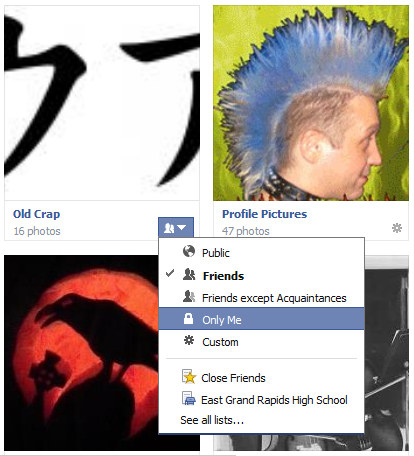 PROFILE PHOTOS: You cannot make your "Profile Photos" ALBUM private, but you CAN make individual pictures in that album private as shown here. 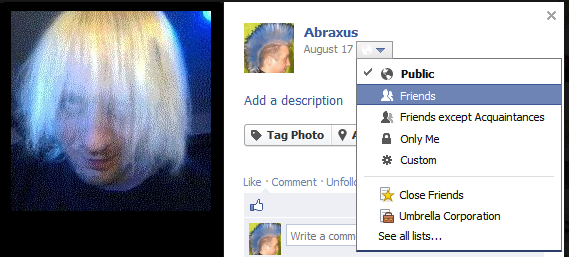 TIMELINE PHOTOS (previously called "wall photos"): These are the photos that you post in status updates. You cannot make this ALBUM private, but you CAN make individual pictures in that album private after you click on that album, and then click on the picture you want to change the privacy settings for. 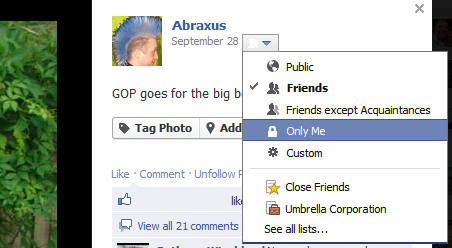 TAGGED PHOTOS (also known as "Photos of You") : These are photos that other people have uploaded, which means THEY have control over who sees them, not you. You can hide your tagged photos from your timeline like this... First go to your photos page, and just click the little pencil as shown here: (but keep in mind that hiding tagged photos from your timeline doesn't hide them in other places - Your friends will still be able to see them) 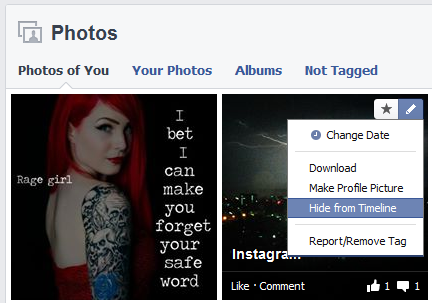 Another thing about tagged photos... If you want control over who sees your tagged photos, then download them to your computer, then untag yourself from the picture that someone else uploaded, then upload them yourself to your own album, where you can control who can see them. If you want to upload a picture, and make it hidden so people wont know you uploaded it, change the audience selector to Custom >> Only Me before clicking "Post Photos". 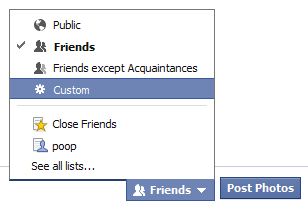  |